Restaurants & retail
Support every location
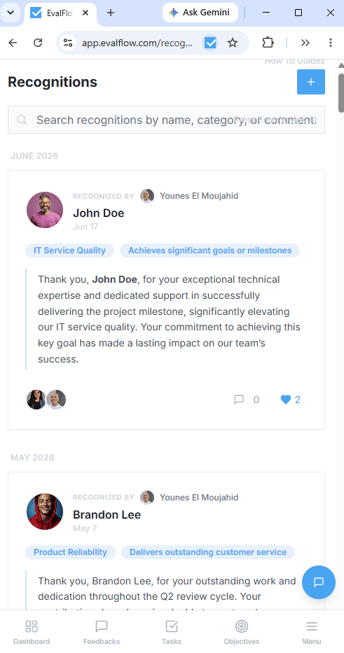
Give store and restaurant managers a consistent way to capture performance moments across shifts and locations.
Mobile performance management software
Give frontline employees, field managers and multi-location teams one mobile place to capture feedback, complete reviews, recognize great work, update objectives, manage tasks and access AI-supported performance context.
Browser-first
Open EvalFlow from a secure link
No mandatory install
Avoid app-store deployment friction
One workspace
The same connected performance record
Field-tested
Used by customers working away from desks
Built beyond the office
Performance should not disappear when employees do not sit at a company laptop. EvalFlow gives distributed teams a practical mobile path into the same performance process as everyone else.
Restaurants & retail
Give store and restaurant managers a consistent way to capture performance moments across shifts and locations.
Construction & field services
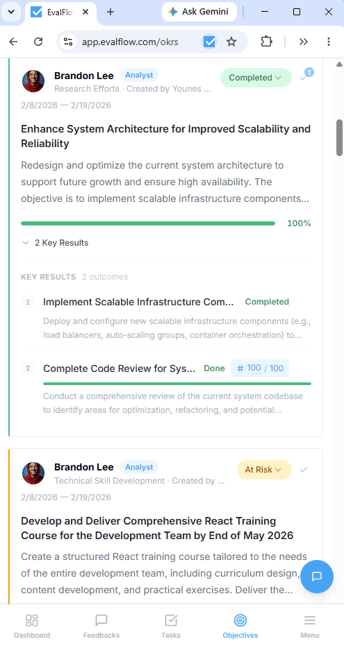
Record feedback, recognition and follow-up while the context is still current—not weeks later at a desk.
Healthcare & operations
Help busy operational leaders act on performance without waiting to return to a traditional workstation.
Distributed teams
Create a consistent employee experience across departments, branches, regions and mobile workforces.
Fast access
EvalFlow works through a modern mobile browser. Employees can use the secure web application immediately and, on supported devices and browsers, add it to their home screen for app-like access.
01
Employees access the same EvalFlow workspace through the browser on their phone, tablet or computer.
02
No mandatory app-store download is required before employees can access their permitted workflows.
03
When supported, users can install the page as an app or use Add to Home Screen. The exact option varies by browser and device.
No duplicate mobile system: activity completed on mobile stays in the same EvalFlow performance record used by employees, managers and HR.
Continuous feedback
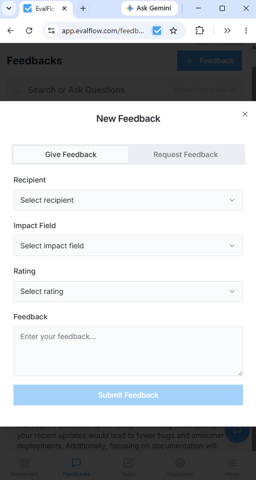
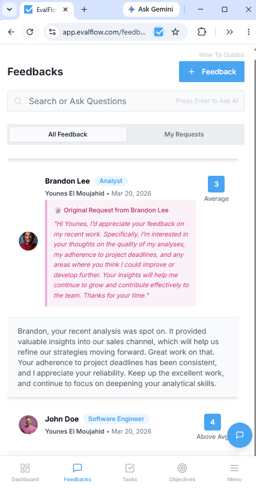
Managers and employees can give feedback, request input and review existing feedback directly from the mobile experience. That means less information disappears between the shift, site or customer interaction and the next formal review.
Mobile performance reviews
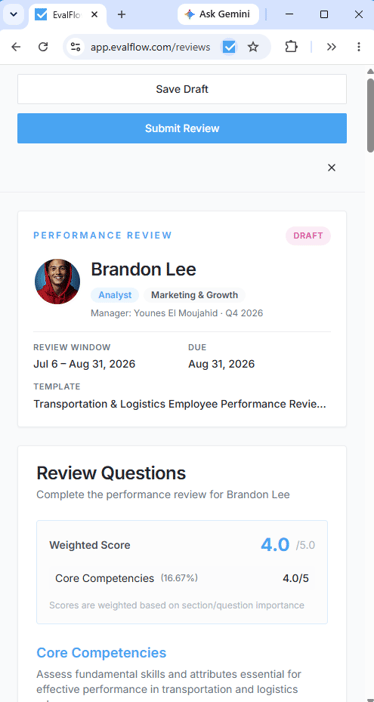
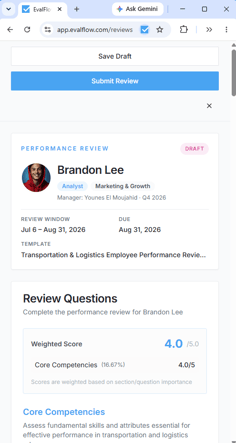
Employees and managers can access assigned reviews, see the review window, work through structured questions, save progress and submit from the mobile interface.
Employee context & EvalBot
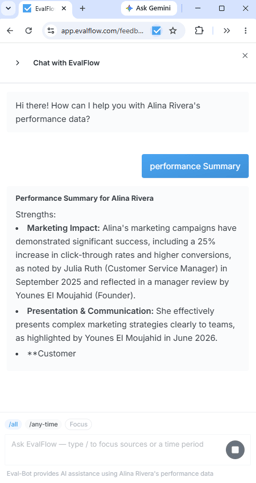
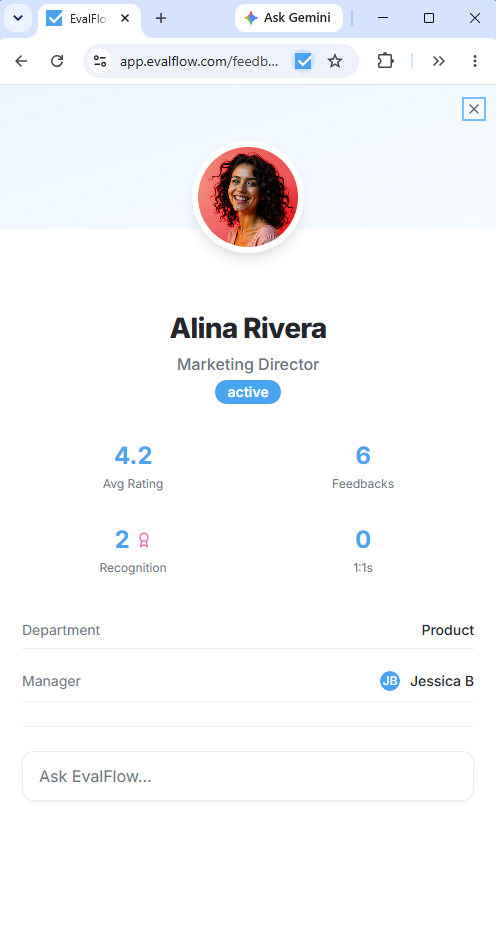
Open an employee profile to see connected performance signals, then ask EvalBot for an AI-assisted summary grounded in the performance information available to the authorized user.
One connected mobile experience
Mobile access is more useful when it connects the full performance picture. EvalFlow brings everyday work signals together instead of isolating them in separate apps.
Why mobile web access matters
A browser-based mobile experience helps organizations extend one performance process across devices and locations without creating a separate mobile program.
Employees can begin from a browser link without first locating and downloading a separate native application.
Users access the current web application rather than waiting for separate mobile-app releases to reach each device.
Mobile access uses the employee’s EvalFlow account and the same role-based permissions governing the workspace.
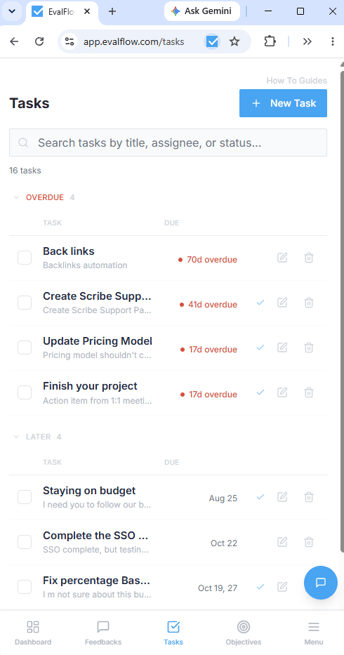
Feedback, reviews, recognition, objectives, tasks and AI-supported context remain part of one connected performance history.
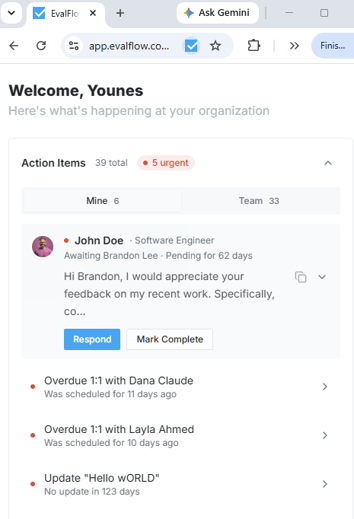
Mobile manager dashboard
Action items surface pending feedback, overdue conversations and other work requiring follow-up—giving managers a practical starting point when they open EvalFlow from mobile.
Practical for real teams
EvalFlow customers already use the platform in field and mobile working environments. The experience is part of the same product, pricing and supported rollout—not a separate paid mobile module.
4.8★
Verified G2 user rating
$6
Per user/month
$0
Setup and implementation fees
All-in-one
Mobile access included
Frequently asked questions
Bring performance to every location
See how EvalFlow can support feedback, reviews, recognition and manager follow-up across your field, frontline and multi-location workforce.